
Cost and geography are the main reasons customers bring cross-cloud database questions to us at ScaleGrid. They need a recovery site separated from the regional risks affecting production, infrastructure inside a particular jurisdiction, or a less expensive place to retain backups. Their existing cloud might still suit the application, but it no longer meets every requirement of the database deployment.
Leaving Amazon RDS does not have to mean leaving AWS or taking database operations in-house. ScaleGrid manages database software on infrastructure the customer controls, allowing production, standby nodes, and backups to use different hosting environments. The primary can stay close to the application while recovery resources move to locations that meet the business’s requirements. The result is more flexibility to choose infrastructure for each database role without giving up managed database operations.
Separate database management from hosting
Infrastructure independence starts with ownership. Customers retain their cloud accounts, infrastructure, and provider relationships, while ScaleGrid receives the permissions needed to operate the database service (or other infrastructure services). Each environment needs a suitable Kubernetes cluster, storage, connectivity, and sufficient capacity.
ScaleGrid then handles the database networking between those environments as part of the managed deployment. A customer can therefore use infrastructure in separate clouds, regional data centers, or on-premises environments without having to build and operate the database connectivity between them independently.
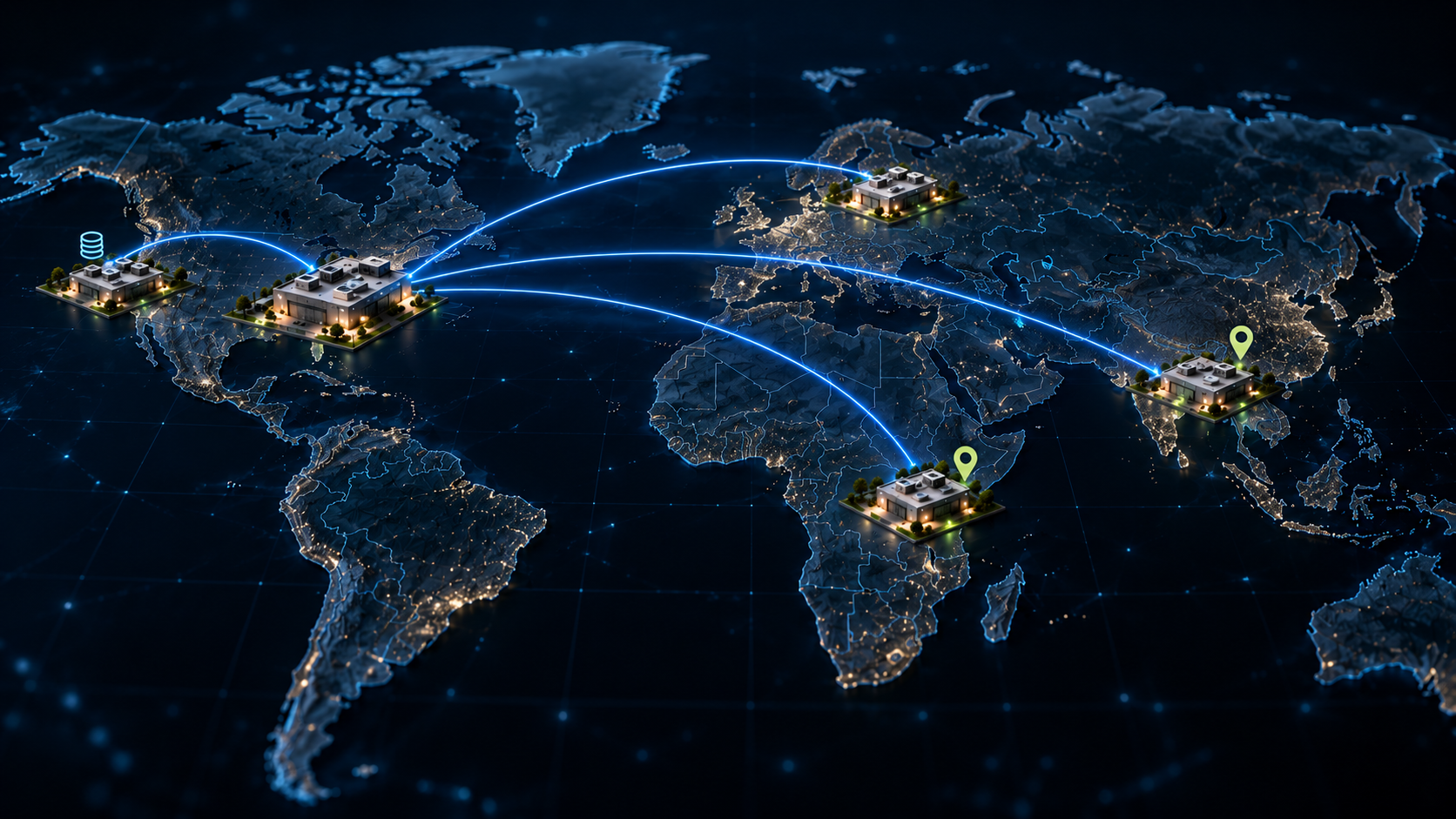
For a customer starting on RDS, the migration comes first: move the database to a ScaleGrid-managed deployment on AWS, then establish a secondary in another supported environment. ScaleGrid does not take over the existing RDS instance or move one of its underlying nodes; the database is migrated from RDS into the new ScaleGrid-managed deployment. For PostgreSQL, one cross-environment deployment could look like this:
| Database function | Example placement | Reason for the choice |
| Production primary | Customer-controlled AWS infrastructure | Keep the database near the existing application |
| Replica or standby | Customer-controlled Oracle Cloud Infrastructure | Use a separate hosting environment for recovery |
| Backups | Regional data center | Meet retention, location, and cost requirements |
Public clouds are not the only options. A regional data center or an on-premise environment may suit the requirement better, provided it meets the deployment prerequisites. The customer chooses where each database role runs; the database engine and supported configuration determine the available replication, read, and failover options.
Where geographic requirements change the design

Location requirements can pull a recovery design in opposite directions. One business may need greater separation between sites, while another needs its production systems to remain within a narrow geographic boundary. We see both situations in regulated industries, where the right architecture often depends as much on where infrastructure runs as on how it runs.
Indian banking: separate regional risks
A bank in South India needed a failover environment in a North India data center because it wanted separation from the regional and infrastructure risks affecting its primary site. Simply adding another replica nearby would not address that concern. The recovery database needed to run far enough away that the same regional event was less likely to affect both environments.
That concern fits with the Reserve Bank of India’s approach to disaster recovery. Its Information Technology Governance, Risk, Controls and Assurance Practices Directions, 2023 call for data-center and disaster-recovery sites to be sufficiently separated so that the same location-related threat does not affect both. RBI does not prescribe this bank’s North India location or require a different cloud provider; those choices depend on the risks the bank is designing around.
Colorado sports betting: distinguish production from duplicate data
Colorado sports-betting rules require the primary server responsible for accepting and storing wagers to operate inside the state at a licensed and approved location. The rules allow operators to request approval to store duplicate data in the cloud, which creates an important distinction: the requirements for the production wagering system are not necessarily the same as those for a secondary copy.
That distinction matters when planning failover. A location that is acceptable for storing a secondary copy may not necessarily be acceptable once that node is promoted and begins serving the production workload. The recovery design therefore needs to account for where the standby is allowed to run both before and after promotion, not just where a duplicate copy may be stored.
Rwanda: account for overseas storage authorization
Rwanda shows a different side of the geography problem. Its personal-data protection framework provides for personal data to be stored in Rwanda, while storage outside the country is subject to authorization and other requirements. For infrastructure teams, that makes data location part of the architecture rather than simply a choice of cloud region.
If an organization needs database infrastructure in-country, the answer does not have to depend on whether its preferred hyperscaler operates a region there. A suitable regional data center can become part of the deployment instead. The organization still needs to consider the full data path—including the primary, replicas, backups, logs, and management access—because putting one database node in-country does not automatically address requirements that apply to data stored or processed elsewhere.
Five checks for cross-environment disaster recovery

A remote standby deserves the same scrutiny as the production environment it may replace. ScaleGrid can configure standby promotion to be automatic or leave the decision manual, depending on how the customer wants to handle failover. We manage the database-side promotion, while the customer remains responsible for DNS and the wider application recovery process. That division matters because recovering the database is only one part of bringing the application back.
Before relying on that standby for recovery, test the complete path with the application, infrastructure, security, and database teams. The goal is not simply to confirm that replication is running, but to understand what happens when the primary environment is actually unavailable.
- Identify the failure you are designing for. A regional outage, loss of access to a cloud account, and a network failure require different responses. Map the dependencies shared by the primary and recovery environments, including power, connectivity, identity, credentials, and database-management components. Different provider names alone do not establish that the two environments will remain independently usable.
- Set recovery targets and choose replication accordingly. Define the recovery time objective (RTO), or acceptable time to restore service, and the recovery point objective (RPO), or acceptable data-loss window. These targets should reflect the application’s business impact and dependencies. In PostgreSQL, asynchronous replication may leave recent committed transactions unavailable on the standby after a failure; synchronous replication waits for configured acknowledgments and adds network communication to the commit path.
- Define safe promotion rules. ScaleGrid supports customer-configured automatic or manual promotion. Decide what evidence should trigger that promotion and confirm how the system prevents the former primary from accepting conflicting writes. PostgreSQL’s failover documentation highlights this “split-brain” risk: a failed or disconnected primary must not return as a competing primary after the standby takes over.
- Plan application reconnection. The customer remains responsible for DNS and the wider application failover process. Assign ownership for endpoint changes, connection handling, authentication, and dependent services before an incident occurs. A successful database promotion is an intermediate milestone; the recovery test finishes when the application can perform its required business operations.
- Test the complete recovery sequence. Exercise the plan under realistic load and measure the result against the recovery targets. Include the steps needed to establish a new standby after promotion and restore the intended level of redundancy. Record manual interventions and missing dependencies so the next recovery does not depend on someone remembering an undocumented workaround.
Compare the cost of the complete deployment
Separating database management from infrastructure gives teams more control over where they spend money. Production may need high-performance compute and storage close to the application, while a standby or backup environment may have different requirements. Those roles do not necessarily need to use the same provider, infrastructure configuration, or location.
That flexibility does not guarantee a lower total bill. Compare the complete deployment, including compute, storage, backup retention and retrieval, network transfer, management fees, licensing where applicable, and the operational work the team retains. Migration costs should be separated from recurring costs so the long-term comparison is clear.
Cross-cloud replication introduces another cost to model: network transfer. A primary sending a continuous stream of changes to a standby at another provider may incur egress charges, and the amount will vary with write volume, backup movement, and recovery testing. A lower-cost standby environment only saves money if those transfer costs and the capacity needed during recovery still make the complete design economical.
Keep backups usable when production is unavailable

A standby and a backup solve different problems, so they do not need to share the same location. A standby helps restore service after a failure, while a backup gives the team a recovery point from an earlier state. If a table is dropped on a PostgreSQL primary, for example, physical replication carries that change to the standby. The replica does not preserve the data that was deleted.
Backup placement can therefore be treated as a separate infrastructure decision. A team might keep production on AWS, run a standby in another cloud, and retain backups in a regional data center if that combination better fits its recovery, location, or cost requirements. The important point is that production, failover, and backup infrastructure do not have to move together.
A backup stored elsewhere is useful only if the team can still reach and restore it during an incident. Recovery planning should account for credentials, encryption keys, database software, network access, and enough infrastructure to perform the restore. Teams should consider whether a compromised production account could affect backup copies as well, and use administrative separation, immutable retention, or offline protection where the risk calls for it. CISA recommends maintaining offline, encrypted backups and regularly testing their availability and integrity.
Test restores under the assumption that the production environment is unavailable. That exercise should prove that the team has the access, tools, capacity, and time needed to recover from the backup—not simply that a backup job completed successfully.
Consider a read node near the analytics workload
Infrastructure flexibility is not limited to disaster recovery. In some architectures, a read node could run closer to an analytics platform while the primary remains near the transactional application. This gives teams another way to place database resources around the workloads that use them without moving production.
The benefit depends on the workload. PostgreSQL hot standbys can serve read-only queries while replaying changes from the primary, but replication lag affects data freshness and long-running queries may conflict with recovery. Network latency and transfer costs still matter when data crosses providers or regions.
Treat this as a workload-placement decision rather than a default architecture. A read node serving analytics may have different capacity, latency, and availability requirements from a standby intended for disaster recovery.
Plan the cutover before moving data
For an existing RDS deployment, the first step is to migrate the database into a ScaleGrid-managed deployment on customer-controlled infrastructure. The application does not necessarily need to leave AWS at the same time. Keeping the database close to the existing application can simplify the initial move, while a standby or backup environment is added elsewhere afterward.
Before migration, review the database engine and version, extensions, users, scheduled jobs, security configuration, and application connections. Agree on the migration method, validation process, cutover window, and rollback plan before moving production traffic.
ScaleGrid’s consulting team can help plan and execute the migration. Treat the initial database move, creation of the remote standby, backup configuration, and recovery testing as separate milestones rather than trying to change every part of the architecture in one cutover.
Keep the infrastructure that works
The goal is not multi-cloud for its own sake. It is to stop treating the location of every database role as a decision that must be made by one infrastructure provider. Cost, recovery requirements, data location, available infrastructure, and application architecture may point to different choices for the primary, standby, read nodes, and backups.
ScaleGrid manages the database layer while customers retain control of the infrastructure underneath it. That gives teams a way to move away from RDS management without giving up managed database operations—and to choose where each part of the database architecture runs based on what the business actually needs.